About Dogpile.com
InfoSpace created the Dogpile search engine because your time and curiosity are important to us. In an era when convenience outweighs accuracy and defaults override choice, we prioritize classic search results: no presumptive overviews, no forced chat, just links to real websites.
Gathering up relevant information matters so much to us that it even inspired our name! In rugby, players come together and pile on top of one another. At Dogpile, we compile all the best results in one easy-to-access place.
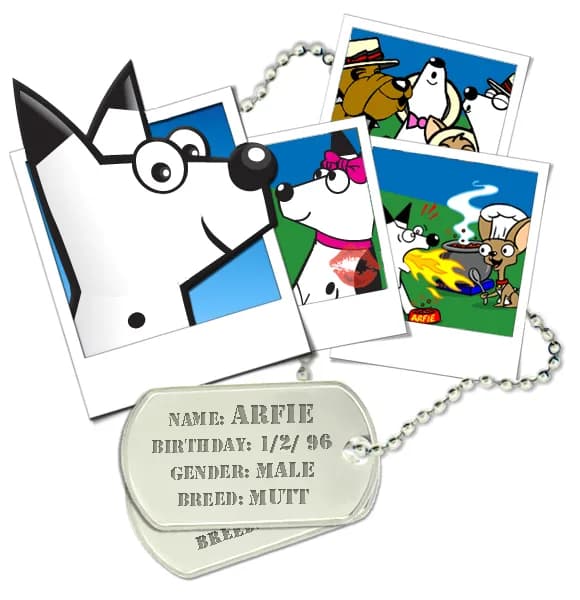
And because every good team needs a loyal mascot, we adopted Arfie. You can find him any time on Dogpile, where he works as a retriever of sorts. When you search the web on Dogpile, he's quick to fetch the results you want when you want them.
Get Dogpile on Your Device
Take Dogpile's metasearch everywhere you go.

Browser Extension
Instant Dogpile metasearch right from your address bar. Get results from Google, Yahoo!, and more — all at once.
Add ExtensionAndroid App
Fast, lightweight browser with Dogpile search built in. Privacy-focused with no search history tracking.
Get on Google PlayiPhone & iPad App
Metasearch on iOS — pulls the best results from Google, Bing, and Yahoo into one streamlined feed.
Download on App StoreFollow the steps below for your browser to set Dogpile as your default search engine.
Chrome
- Open Chrome and click the three-dot menu (⋮) in the top-right corner.
- Select Settings.
- In the left sidebar, click Search engine.
- Next to "Search engine used in the address bar", open the dropdown and select Dogpile.
- If Dogpile is not listed, click Manage search engines and site search, then Add and enter: Name: Dogpile, Shortcut: dogpile.com, URL: https://www.dogpile.com/serp?q=%s
Firefox
- Open Firefox and click the three-line menu (☰) in the top-right corner.
- Select Settings.
- Click Search in the left sidebar.
- Under Default Search Engine, open the dropdown and choose Dogpile.
- If Dogpile is not listed, visit dogpile.com, right-click the address bar, and select "Add Dogpile".
Safari
- Open Safari and click Safari in the menu bar, then select Settings (or Preferences).
- Click the Search tab.
- Click the Search engine dropdown and select Dogpile.
- If Dogpile is not listed, you may need to install the Dogpile browser extension to add it as an option.
Microsoft Edge
- Open Edge and click the three-dot menu (…) in the top-right corner.
- Select Settings.
- Click Privacy, search, and services in the left sidebar.
- Scroll down to the Services section and click Address bar and search.
- Under "Search engine used in the address bar", open the dropdown and select Dogpile.
- If Dogpile is not listed, click Manage search engines, then Add and enter: Name: Dogpile, Keyword: dogpile.com, URL: https://www.dogpile.com/serp?q=%s
Meet the Team

Tulika Kidambi
General Manager
Tulika keeps everything running smoothly and brings people together to amplify impact. She champions a culture of curiosity and collaboration at Dogpile.
Fun fact: I’m an original Gmail adopter, which is just a fancy way of saying I scored my name as an email before everyone else had to settle for extra numbers and letters.

Nicole Antonio
Editorial Director
Nicole creates with curiosity and compassion, meeting people where they're at and building from there. She has a soft spot for underdogs—and for every stray cat she's tempted to adopt.
Fun fact: Printed MapQuest directions for the family—in black and white, of course—and panicked when a missed exit meant we had no idea where to go next.

Jeff Crosby
Lead Engineer
Jeff builds and maintains the technology behind Dogpile.com, keeping the metasearch experience fast, friendly, and delightfully doggish.
Fun fact: In the late 90s, I began building websites on Geocities using Netscape Navigator and View Source to see how all the sites were built using tables.

A Fresh Chapter for Arfie
Arfie's adventures are now brought to life by illustrator Nova Cheetah. From the playful pups that greet you on the homepage to the card faces and expressive reactions inside our games, Nova is reimagining Dogpile's beloved retriever with warmth, humor, and a whole lot of personality.
@nova_cheetah on Instagram